


LEGO® DUPLO® Disney
4.3101.00 Reviews
App Specs
- Version
- 19.1.1
- Updated On
- License
- Free
- Downloads
- 10,000,000+
- Developer
- StoryToys
- Categories
- Education
- Platform
- Android, iOS
Screenshots
 Analysis by AppCompare
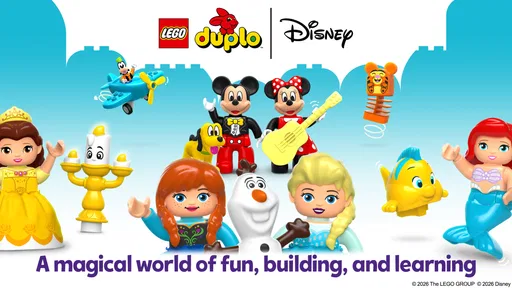
Have you ever watched a toddler get totally absorbed in a toy? That’s exactly the vibe you get when you dive into LEGO® DUPLO® Disney. This app is like a magical playground where creativity and fun collide, giving kids a chance to explore their favorite Disney characters in a super interactive way.
Where Little Players Can Get Stuck
The first few minutes are usually straightforward, but a young child may still need an adult nearby to help make sense of what to tap and where to go next. Familiar characters make the screen inviting; they do not automatically make every choice obvious to a preschooler. I’d treat the first session as a shared activity rather than handing over the device and walking away.
A useful trick is to let your child explore one screen at a time. If they tap around rapidly, pause and ask what they want to do before choosing together. That small change turns random tapping into a chance to talk through choices, colors, and building ideas. It also helps you notice whether your child is enjoying the activity or simply moving between screens.
Picture this: you have a few quiet minutes before dinner, and your child wants to use the phone. Instead of opening the app while you are rushing, sit with them for the first moments and agree on a simple stopping point, such as finishing the activity they are exploring. This makes the transition away from the screen less abrupt and gives the playtime a natural shape.
Getting the Device Ready
The app is free to download, but in-app purchases range from $4.99 to $39.99 per item, so I recommend checking the purchase controls on the device before a child plays independently. That is a practical setup step, not a comment on the fun itself: little fingers can tap with enthusiasm, and an adult should know how purchases are handled on their device.
It is an education app from StoryToys, rated for Everyone, with a 4.0 average from around 12,000 ratings and more than 10 million installs. It was released on April 3, 2023, and version 16.2.0 requires Android 6.0 or later. Those details make it easier to check basic fit before installing, especially if you are setting it up on an older family tablet.
If installation or loading seems troublesome, I would start with ordinary checks: confirm the device meets the minimum Android requirement, make sure it has a stable connection when downloading, and check that there is enough available storage. If something still behaves oddly, closing and reopening the app or restarting the device is a sensible next step. These checks are more useful than assuming the child has done something wrong.
Worth Reading Before You Choose

EA SPORTS FC Mobile 26 Is a Bigger Football Game, but It Takes Time

Flipboard Shows What News Apps Must Do Beyond the Feed

Switching to Android Auto Means Rethinking Your Driving Routine

Google Calendar Makes a Crowded Week Easier to Manage

Ludo King Makes the Most of the Minutes Between Plans

Baby Panda World Brings Quick Play to Modern Phones, but Its Game Library Feels Busy
Playing, Learning, and Making It Work at Home
I find this section most useful when I treat the app as a shared activity rather than a way to occupy a child without any setup. A quick check of purchase controls and a clear stopping point can prevent avoidable friction, while a simple question about what the child wants to build gives the play a purpose. From there, I’d look at how the app fits into the family’s wider play routine.
Exploring the Disney Universe
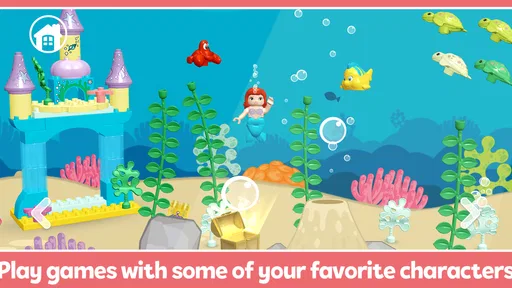
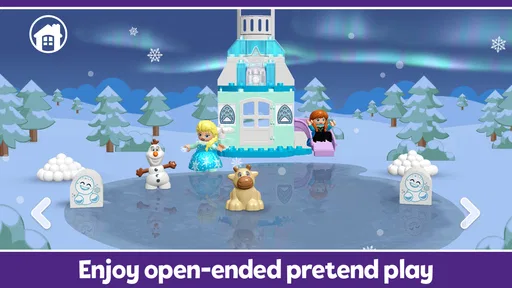
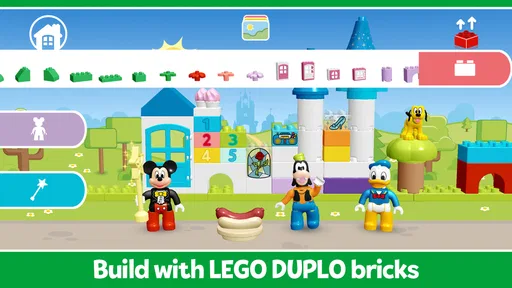
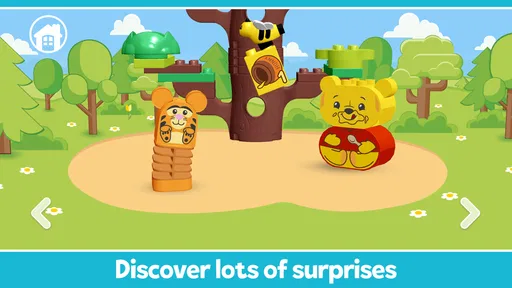
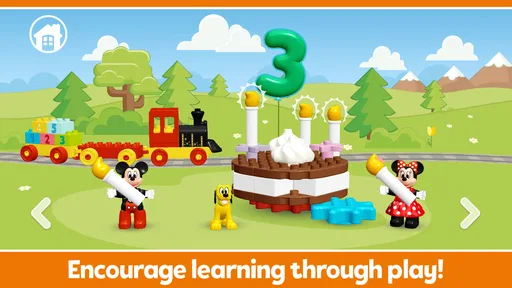
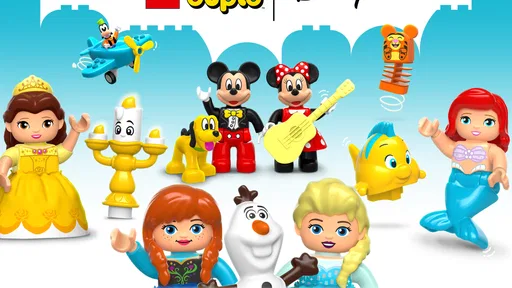
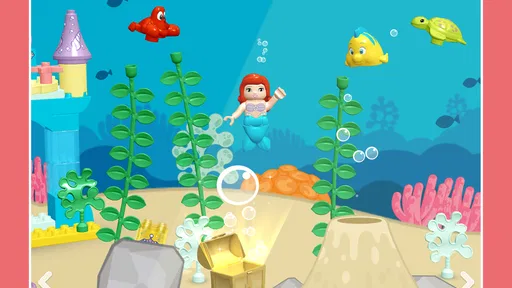
Once you’re in, the real fun begins. Each Disney character has their own little world, and these aren’t just any worlds — they’re brimming with activities that encourage creativity and problem-solving. Kids can build with virtual DUPLO blocks, create their own stories, and even interact with the characters in a unique way.
The graphics are vibrant, and the animations are smooth, making it a visually delightful experience. Plus, the audio is spot on. The characters sound just like they do in the movies, which really adds to the magic of it all.
For a child who already enjoys stacking DUPLO bricks or inventing stories with toys, the screen can extend a familiar kind of play rather than replace it. I like using it as a prompt: after a digital building activity, ask what the character might do next, or invite the child to build a similar shape with real blocks. That simple switch between screen and toy gives the activity a second life without needing a complicated plan.
Learning through Play
One of the standout features of LEGO® DUPLO® Disney is how it blends learning with play. As kids engage with the app, they’re not just having fun—they’re also developing important skills. Whether it’s counting blocks, identifying colors, or even following instructions to build something, there’s a lot of learning happening without it feeling like a chore.
Parents will love how the app subtly introduces educational elements. It’s like sneaking veggies into a kid’s favorite dish — they don’t even realize they’re getting something good for them!
In my view, the strongest learning value comes from joining in with questions rather than treating the app like a lesson that should be completed. You might ask your child to point out a color, describe what they are building, or explain what they think a character will do next. These prompts keep the child in charge of the imaginative part while giving an adult a natural way to encourage language and attention.
That approach also helps you judge whether the app suits your child. Some children like following a suggested activity; others would rather invent their own story and move on when they are ready. If your child becomes frustrated by being guided, give them room to explore and keep your questions light. The goal is shared play, not a test of whether they remember instructions.
When the App Is Not the Cause
If a child loses interest, I would not immediately assume the app has failed or that the device is misbehaving. A tired toddler, a noisy room, or a screen session that has gone on longer than expected can make even a favorite character less appealing. Try a short break, lower distractions around the child, and return later if they ask for it.
Likewise, an unexpected interruption during play may come from the device or its connection rather than from the activity itself. Check the basics before reinstalling anything: see whether other apps are working, confirm the connection if the app needs one for the task at hand, and reopen the app after a brief pause. If the same problem keeps returning, an adult can check the device’s settings and available storage before deciding what to try next.
For families who prefer toys that work without a screen, physical DUPLO is the better choice. It lets children build at their own pace and gives parents a break from managing device time. The app makes more sense as an occasional companion for travel, a quiet moment at home, or a shared activity when real blocks are not handy—not as a replacement for hands-on play.
The Right Fit for Your Family
Compared with broad early-learning apps, this one has a more focused appeal: Disney characters and DUPLO-style building are the draw, so a child who recognizes Mickey and enjoys imaginative construction may settle in more readily. A general learning app may be a better fit if you want a wider range of subjects or a more structured routine. A video is easier when you need passive entertainment, but it does not invite the same kind of tapping, choosing, and story-making.
I would especially recommend trying it with a child who enjoys familiar characters but still likes to make things their own. It may be less appealing to children who are not interested in Disney, who prefer open-ended physical toys, or who become overstimulated by colorful screens and sound. In those cases, a book, blocks, or a calmer activity may be the better choice.
One practical way to keep sessions manageable is to decide before opening the app whether you are using it for a quick distraction or for play together. For a short wait, let the child explore one activity and give a gentle warning before it is time to stop. For a longer shared session, take turns choosing what to explore and talking about the building or story. The distinction matters: a screen can fill a gap, but it works best when the adult’s expectations match the moment.
The Perfect Blend of Fun and Safety
In today’s digital age, safety is a big concern, and this app has done an excellent job addressing that. There are no ads popping up to distract or mislead, and all the content is 100% kid-friendly. Plus, there’s a handy parental control feature that lets you manage the playtime, ensuring kids don’t go overboard.
It’s reassuring to know that while your child is off on their Disney adventure, they’re in a safe and controlled environment.
Even with a child-friendly experience, I would still stay involved in device use. Set expectations about when playtime starts and ends, keep an eye on purchase controls, and check that the volume is comfortable before handing over the device. Those small habits are useful for any app a young child can open, and they make it easier to keep this one as a positive part of the day.
Why Kids (and Parents) Love It
So, what makes LEGO® DUPLO® Disney a hit with both kids and parents? It’s the perfect mix of entertainment and education, wrapped up in a package that’s easy and safe to use. Kids get to hang out with their favorite Disney characters, while parents can feel good about the educational benefits.
And let’s be honest, who doesn’t love a little nostalgia trip back to the days of building with LEGO blocks, but with a modern twist? It’s a win-win all around.
Overall, if you’re on the hunt for an app that’s fun, engaging, and packed with learning opportunities, LEGO® DUPLO® Disney might just be the perfect pick. It’s a delightful digital toy box that offers endless hours of creativity and joy.
My practical verdict is more measured: I see it as a charming option for short, supervised play, especially when a child already likes Disney characters and building. The free download makes it easy to try, while the in-app purchases mean I would prepare the device first and keep an adult close by. If your priority is a quiet, structured curriculum, a screen-free building session, or broad lessons beyond this particular world, another choice will fit better. For a child who wants to make up stories with familiar characters, though, it can be a fun little part of the family’s play routine.
Pros
- Engaging for young children with vibrant graphics.
- Easy-to-use interface promotes independent play.
- Educational content fosters creativity and learning.
- Includes beloved Disney characters.
- Regular updates with new features and content.
Cons
- Limited content may become repetitive over time.
- Requires in-app purchases for full experience.
- May need parental guidance for younger users.
- High storage usage on devices.
- No offline mode; needs internet connection.
FAQs for LEGO® DUPLO® Disney
What is LEGO® DUPLO® Disney, and what age group is it suitable for?
LEGO® DUPLO® Disney is a playful and educational app designed for young children, particularly those aged 2-5 years old. It combines the creativity of LEGO® building with the magic of Disney characters, offering engaging activities that help develop fine motor skills, creativity, and early learning concepts in a safe digital environment.
Does LEGO® DUPLO® Disney require an internet connection to play?
While LEGO® DUPLO® Disney can be enjoyed offline, an internet connection is required for initial download and installation. Additionally, some features or updates may require online access. Playing offline ensures a distraction-free experience for your child, but connectivity can enhance the app with additional content.
Are there in-app purchases in LEGO® DUPLO® Disney?
Yes, LEGO® DUPLO® Disney includes optional in-app purchases. These are designed to unlock additional content and features, providing a richer experience. However, all purchases are behind parental gates to ensure that children cannot make purchases without adult supervision, maintaining a safe environment for young users.
How does LEGO® DUPLO® Disney ensure safety for young children?
LEGO® DUPLO® Disney prioritizes child safety by offering a completely ad-free experience with no third-party advertising. The app includes parental controls to manage in-app purchases and content access, ensuring that children can explore and play in a secure and controlled digital space.
Can LEGO® DUPLO® Disney be used for educational purposes?
Yes, LEGO® DUPLO® Disney is designed with educational goals in mind. It promotes creativity, problem-solving, and fine motor skills through interactive play and storytelling. The app aligns with early childhood development standards, making it a valuable tool for parents and educators seeking to integrate learning with fun.


